
By Kyle Brodeur, Director of Tech, U of Digital
I’m the Director of Tech at U of Digital. One of my many jobs is managing our Intellum LMS instance.
Great training tends to require a lot of overhead and process, and if you’re reading this, I’m guessing you’re responsible for managing that overhead. Some of that overhead might come in the form of LMS admin work.
So in this post I’m going to share some of our story in making our back-office processes and LMS more efficient.
And there is definitely a heavy dose of AI.
In all seriousness, AI has been transformative in how we manage our learning operations and LMS admin. If you work in L&D or manage an LMS, I’m sure you’ll recognize a lot of the same challenges we were facing. I hope you can borrow some of the solutions we’ve created.
The bottleneck was not missing docs
Intellum is an enterprise-grade learning platform, and ours is not a stock setup. We have a lot of customizations that make it work for our courses, learner cohorts, credentials, reminder emails, access rules, and client needs.
That flexibility is why it works for us.
It is also why process details matter.
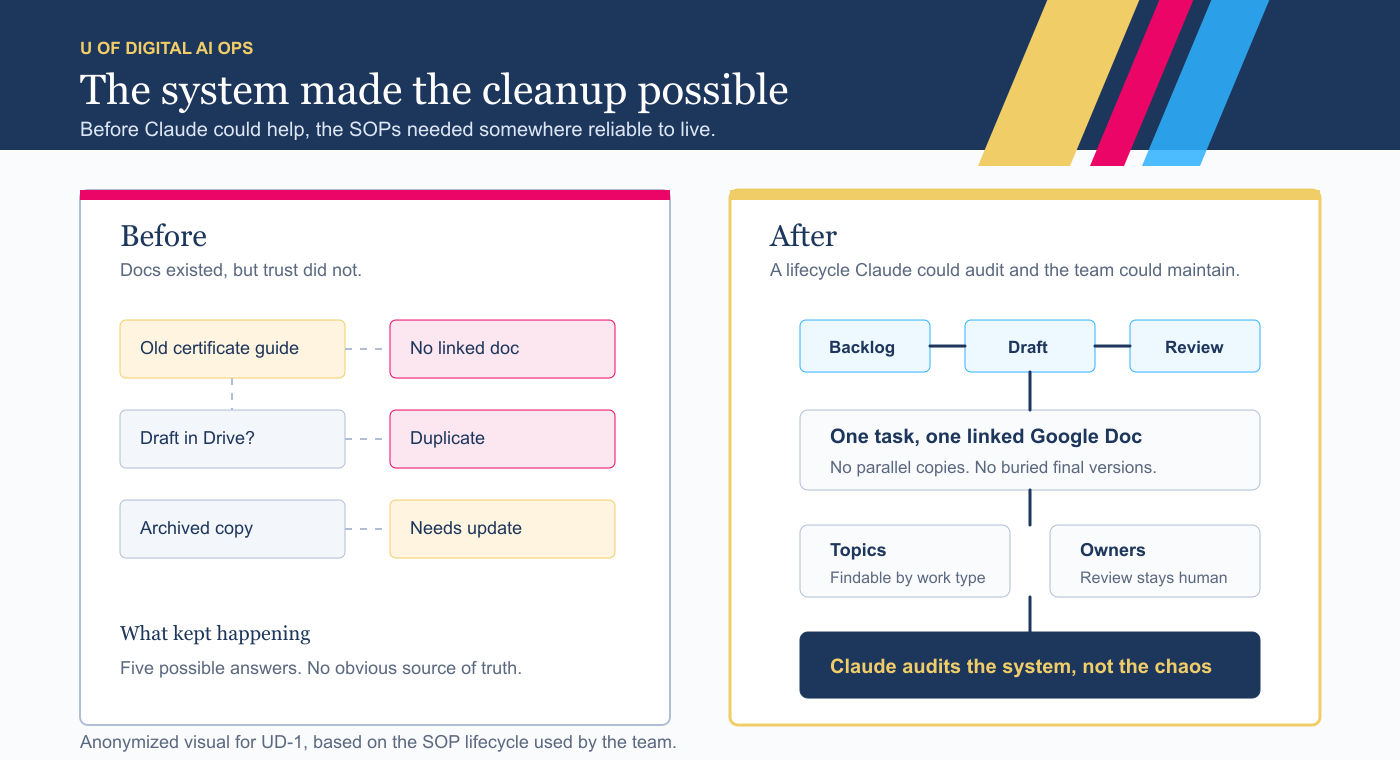
Our processes were not undocumented. They were over-documented. Let me explain what “over-documented” looks like:
The same how-tos sat half-written across Google Drive, Notion, Asana, and ClickUp, in versions nobody trusted.
Need to know how to issue a certificate in Intellum, upgrade an account, or send an email campaign to a learner cohort? You could surface five docs and still not know which one was right. So people stopped digging.
The fallback for all this? Me!
In practice, it looked like a steady stream of Slack messages and emails. Similar questions, asked over and over. Almost all of them routing through one person.
You can’t document yourself out of your documentation problems
For a long time, I thought the fix was to write more Standard Operating Procedures (SOPs). Every few months we ran a documentation push, then watched the docs go stale.
Writing was never the constraint. Maintenance was.
Consistent names, so things are findable. One source of truth per process instead of three near-copies.
Knowing what already exists before someone writes a fourth version.
Pulling the weeds meant finding the stale doc that still looked official. The duplicate guide with a slightly different answer. The process a teammate wrote before they left, still sitting in a folder like it was current.
None of those things feels urgent on its own. Together, they are how documentation stops being trusted. That is the quiet, never-urgent work that never gets scheduled.
It is also exactly what an AI agent is good at.
Create one source of truth for every SOP
We did not start by writing more SOPs. We built the system the SOPs would live in.
For us, Asana became the operating layer. The SOPs still lived in Google Docs, but Asana told us what each guide was, who owned it, where it sat in the lifecycle, what topic it belonged to, and whether it was ready to trust.
That meant a real lifecycle for every guide. Topic tags so anything is findable. Priorities tied to impact, not to who asked loudest.
And one rule: every task points to exactly one Google Doc.
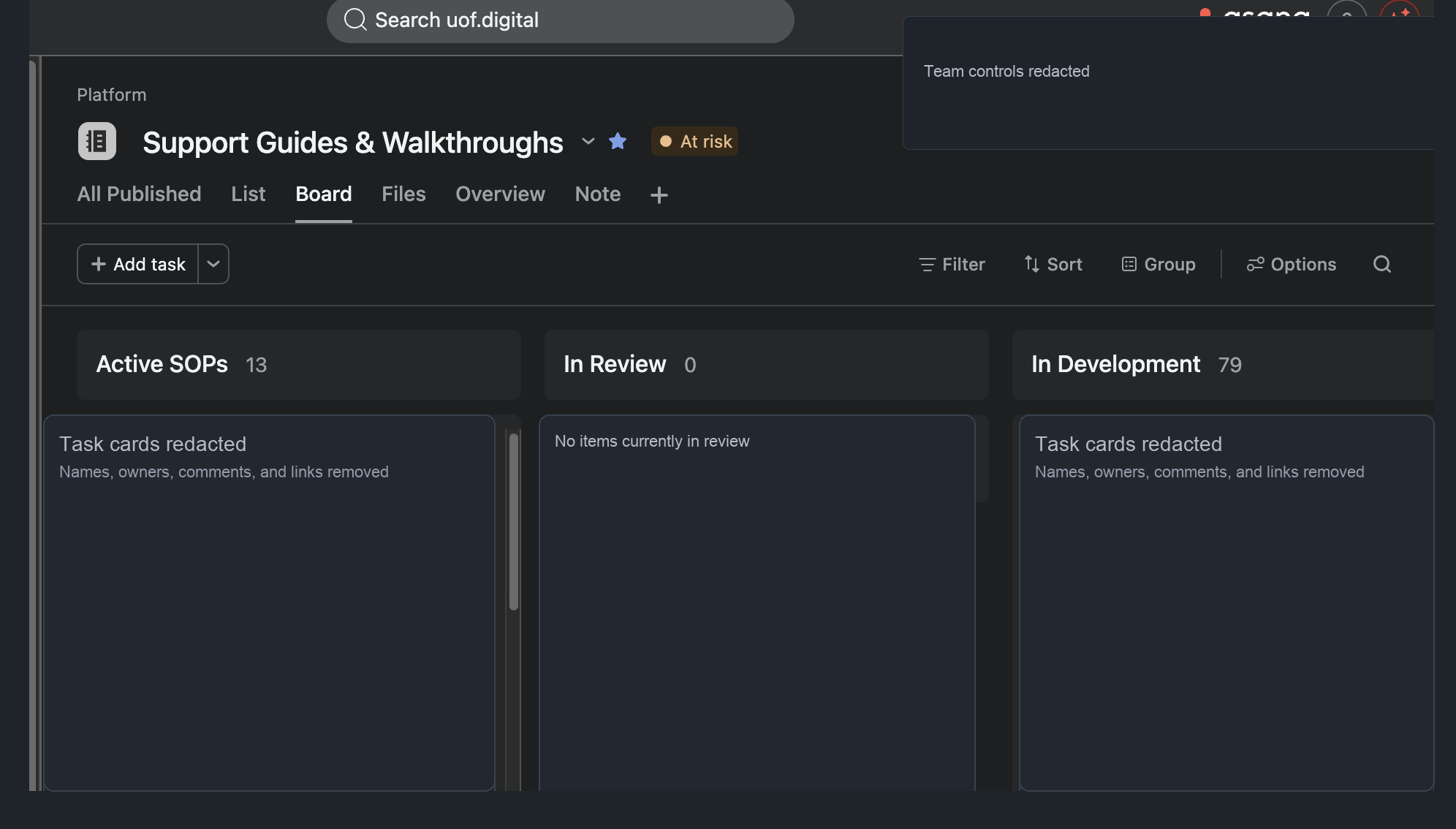
That turned Asana into more than a task list. It became the working map of the support system: Active SOPs, guides in review, work in development, and a backlog we could actually trust.
This was bigger than Intellum, but Intellum made the need impossible to ignore. LMS work touches learners, credentials, emails, access, client expectations, and a lot of weird edge cases. If the system could hold up there, it could hold up almost anywhere in our ops.
How We Used Claude Cowork to Standardize our Documentation
Then the real magic: I used Claude Cowork with our U of Digital tools.
Claude Cowork read about ninety SOPs, normalized names, tagged and prioritized tasks, and surfaced the duplicates, orphans, and stale copies.
It also left a paper trail. On one Intellum badge SOP, the agent flagged a step that pointed to the wrong surface in the LMS, then narrowed the issue after more review: the path was valid, but the SOP needed clearer filters and a more reliable direct URL. On another pre-work path SOP, it caught stale references to Notion and old “ping Kyle or Myles” instructions before the guide was treated as current.
About two hours of clock time. Maybe 30 to 40 minutes of mine.
Keeping a human in the loop
When Myles Younger, our Chief Growth Officer, heard I was pointing an agent at our live LMS, he asked the right question: what stops it from deleting a course or breaking something we cannot undo?
That question became the rule. The agent writes out its steps before it touches anything. It follows the documented SOP.
It stops the moment something looks off. And for anything that takes judgment, or that would destroy information, it flags instead of acting.
Cyborg, not autopilot. A hand stays on the wheel.
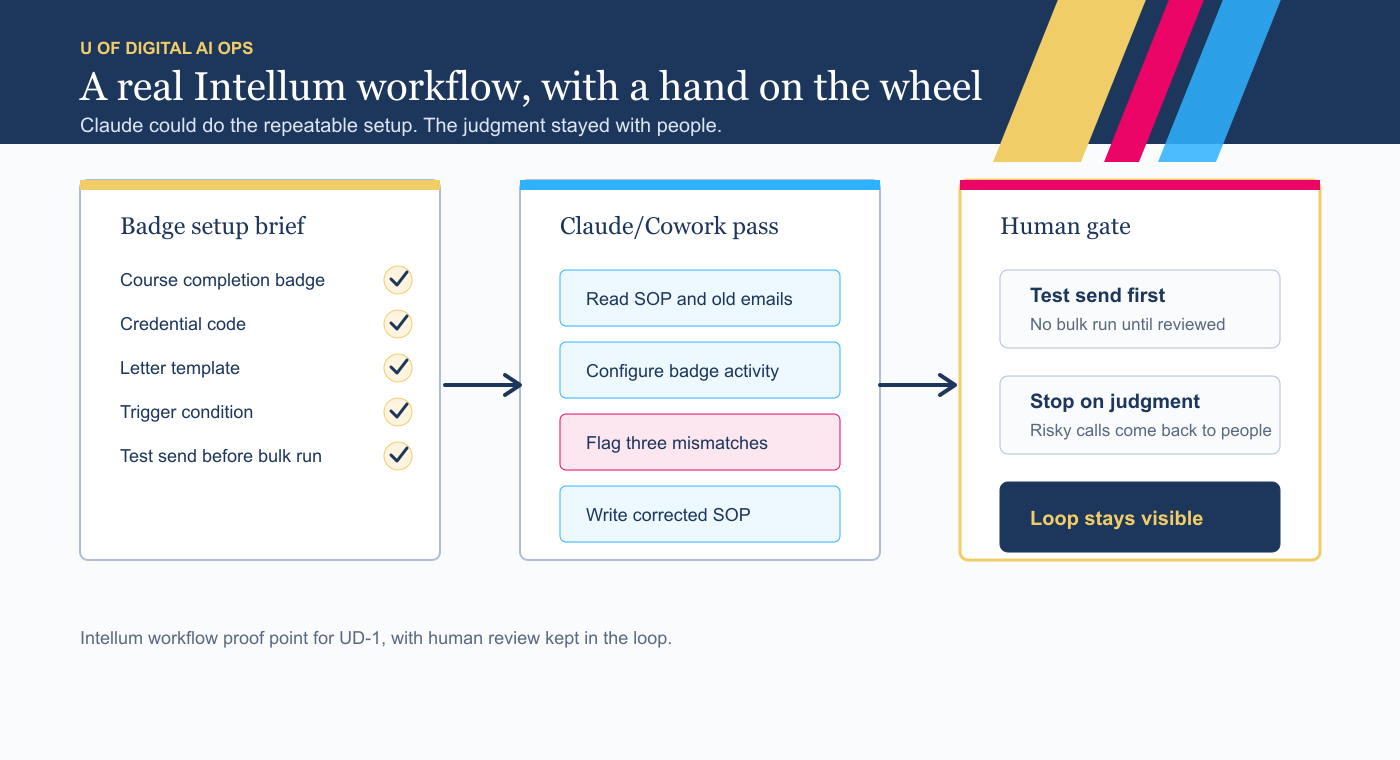
We put it to the test on a real Intellum job: setting up and delivering a course-completion badge. That process lived in my head and a chain of old emails.
Claude read the SOPs and threads, configured the badge activity and letter trigger, ran one test send, and wrote the corrected SOP.
Better still, it caught our mistakes.
The brief had three errors baked in: the wrong trigger type, a reused letter that named the wrong course, and a few smaller issues.
Claude checked the brief against how the live courses were actually built, flagged all three, and corrected them.
I stayed in the loop. But I hardly touched the keyboard.
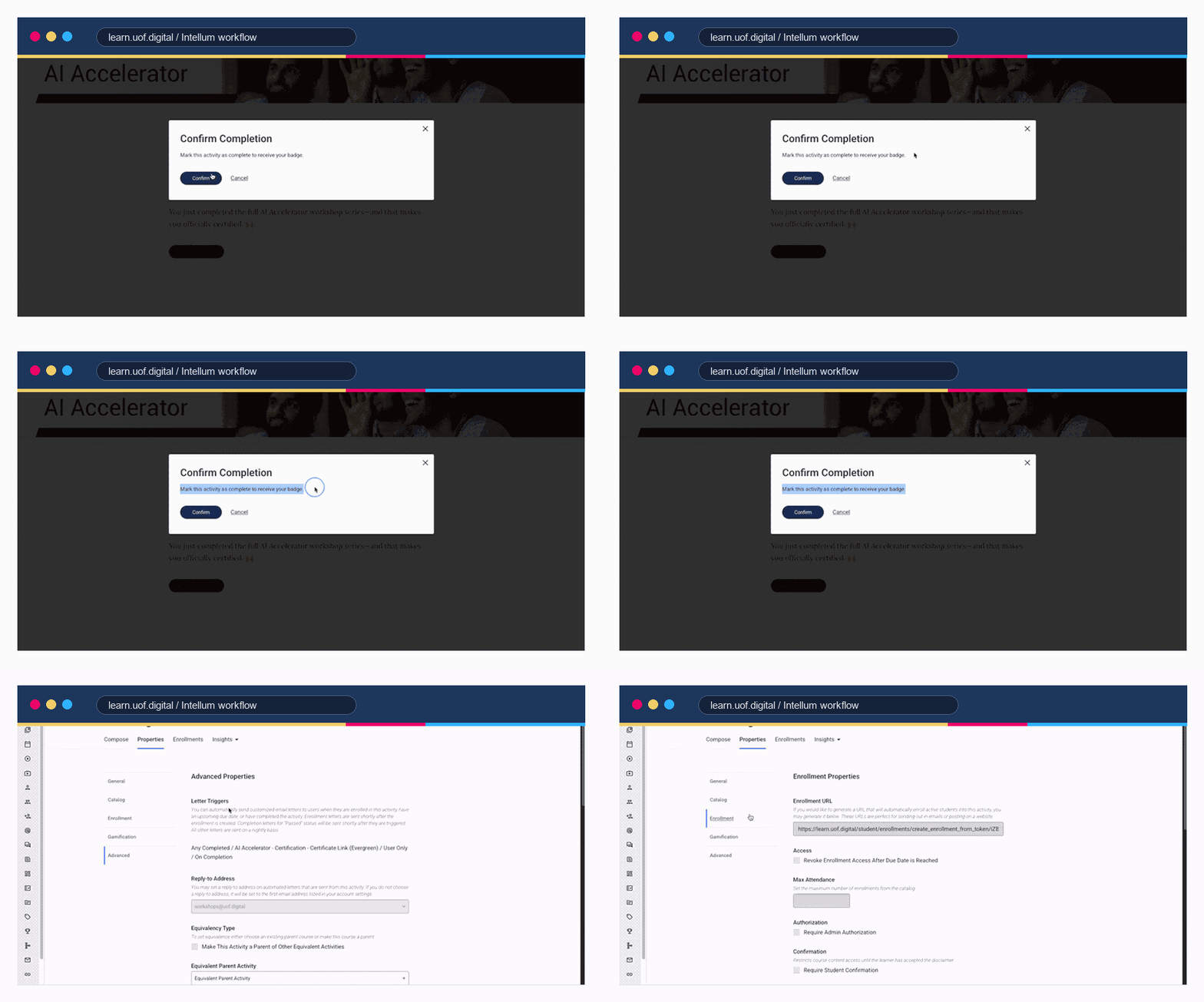
The rule earned its keep again on the cleanup. One doc looked ready to publish. It was marked OUTDATED inside an old archive folder a former teammate had left behind.
A human caught it, but only because the agent raised it for review instead of quietly folding it into the library.
With Better Processes, Our Ops Work is Getting Allocated More Efficiently
The point was never to replace people. It was to free them. The system is in place now.
Our Client Ops team, including Veronica, Sydney, and Jennifer, now has a dedicated support system that helps their work scale without routing everything through one person.
My support team, Trish Christoffersen and Eden Carmel Diocampo, own 10 to 15 hours of operational work a month that used to fall on me.
They have the tools, the documentation, and a clear path to escalate the rare thing only I can solve.
Everyone works from the same place now: one central, searchable library instead of each person’s private stash.
The repetitive “how do I?” pings have dropped off, because questions route to the library or the right owner, not to me.
One recent month put the shift in plain terms: Trish spent about 30 hours moving SOPs forward and handling support work that otherwise would have landed back on my desk.
If you want to make your learning ops more efficient…
Do not open a blank doc and start writing.
Build the system first: statuses, topics, one doc per process, and a clear answer to “who reviews, who publishes.”
Then point an AI agent at the cleanup, and keep your people on the judgment calls.
The system makes the documentation maintainable. The agent makes the cleanup actually happen. Your team is what keeps it alive.
Maintenance is not the chore. It is the work.
Wanting to know more? You’re in luck.
In the coming months, I’ll be publishing more of these guidebooks and how-tos on how U of Digital is using AI to deliver training more effectively and efficiently. If you want to get notified, we’ll be featuring these posts in our weekly newsletter.
You can also connect with me on LinkedIn, or send us a question if you have feedback, questions, or ideas.
Kyle Brodeur is Director of Tech at U of Digital, which has been helping global marketing and advertising companies get smarter and grow since 2018. Connect on LinkedIn!